Open source · Windows 10/11 · Arduino Nano

Your desk mixer,
properly configured.

Five knobs, six programmable buttons and LED lighting for per-app volume on Windows, with a configuration app that feels like the software for the gear you already own.

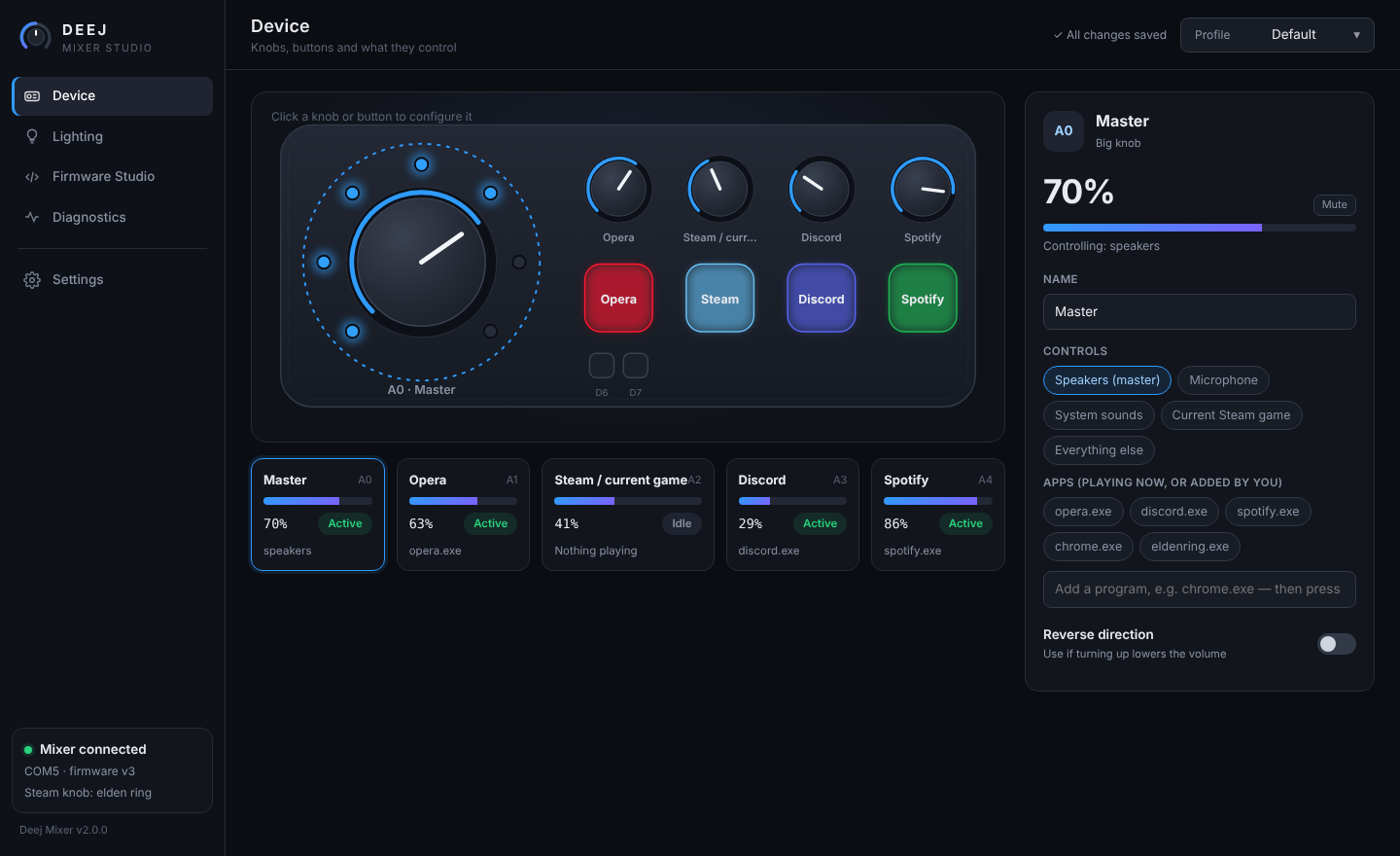
Deej Mixer Studio: device page with live knobs, LEDs and the inspector panel

Everything on your desk, one knob away

Click any knob or button on the live picture of your mixer to configure it. Changes save automatically to the active profile.

🎚️

Per-app volume

Bind each knob to your speakers, microphone, system sounds, any app or group of apps, or everything else.

🎮

Steam game knob

Automatically follows the game you launched last from your Steam library, falling back to the Steam client.

🔘

Press & hold macros

Each button gets two actions: mute a knob, mute the mic, launch an app or link, send a keyboard shortcut, or control media.

💡

Lighting with meaning

The ring shows the big knob's level, logo LEDs go dark when their app is muted, and the ring changes colour while your mic is muted.

🧩

Profiles

Keep Gaming, Work and Streaming setups, and switch between them from the title bar.

🩺

Diagnostics

A live hardware test for every button, knob and LED that catches shorted switches, loose wipers and LED order.
Buttons that do more

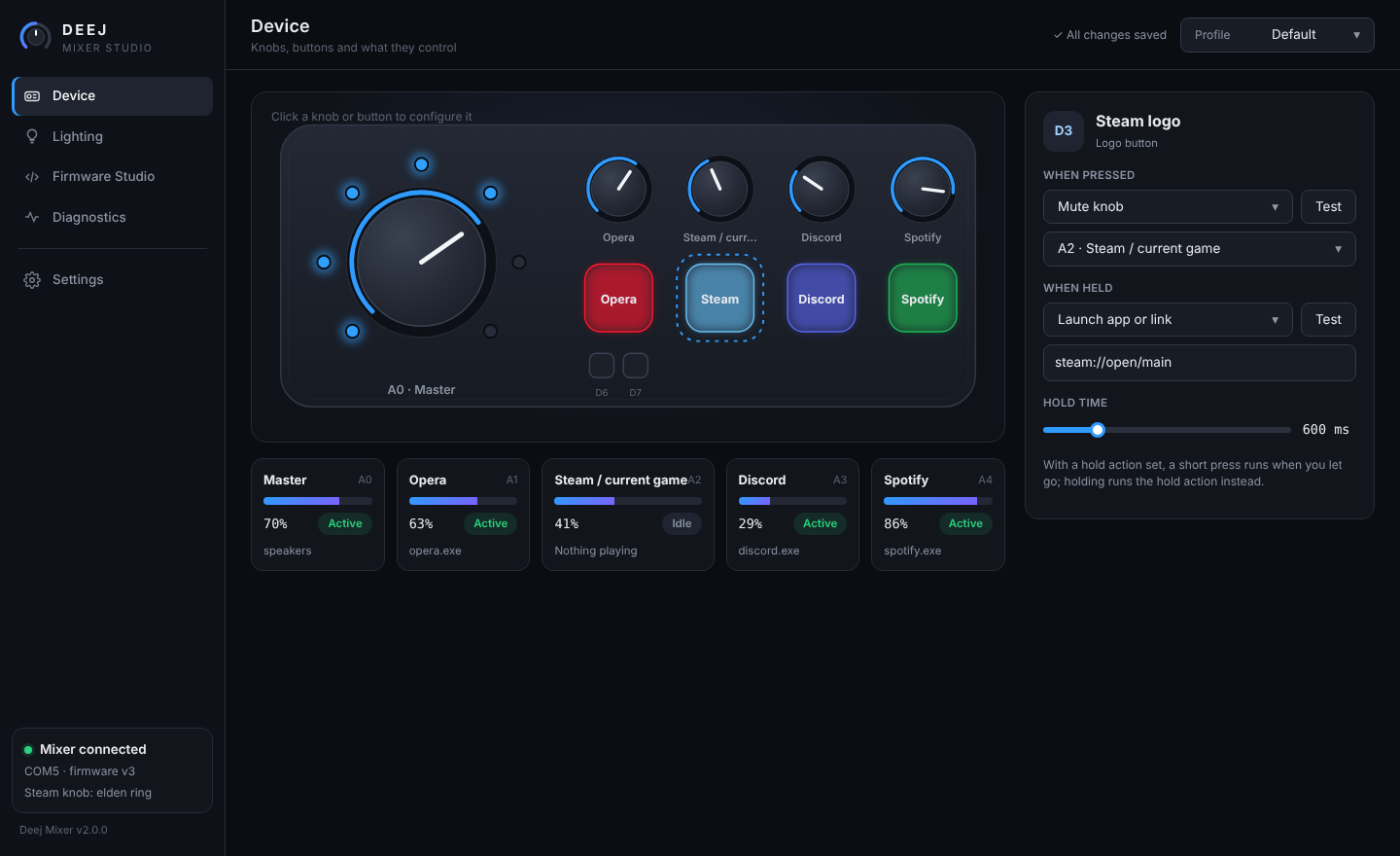
A short press mutes; holding opens the app. Or map a button to any shortcut, link or program.

  • Mute any knob's target, or the microphone
  • Launch apps and links like steam://open/main
  • Keyboard shortcuts such as CTRL+SHIFT+M
  • Play/pause, next and previous track
Button configuration
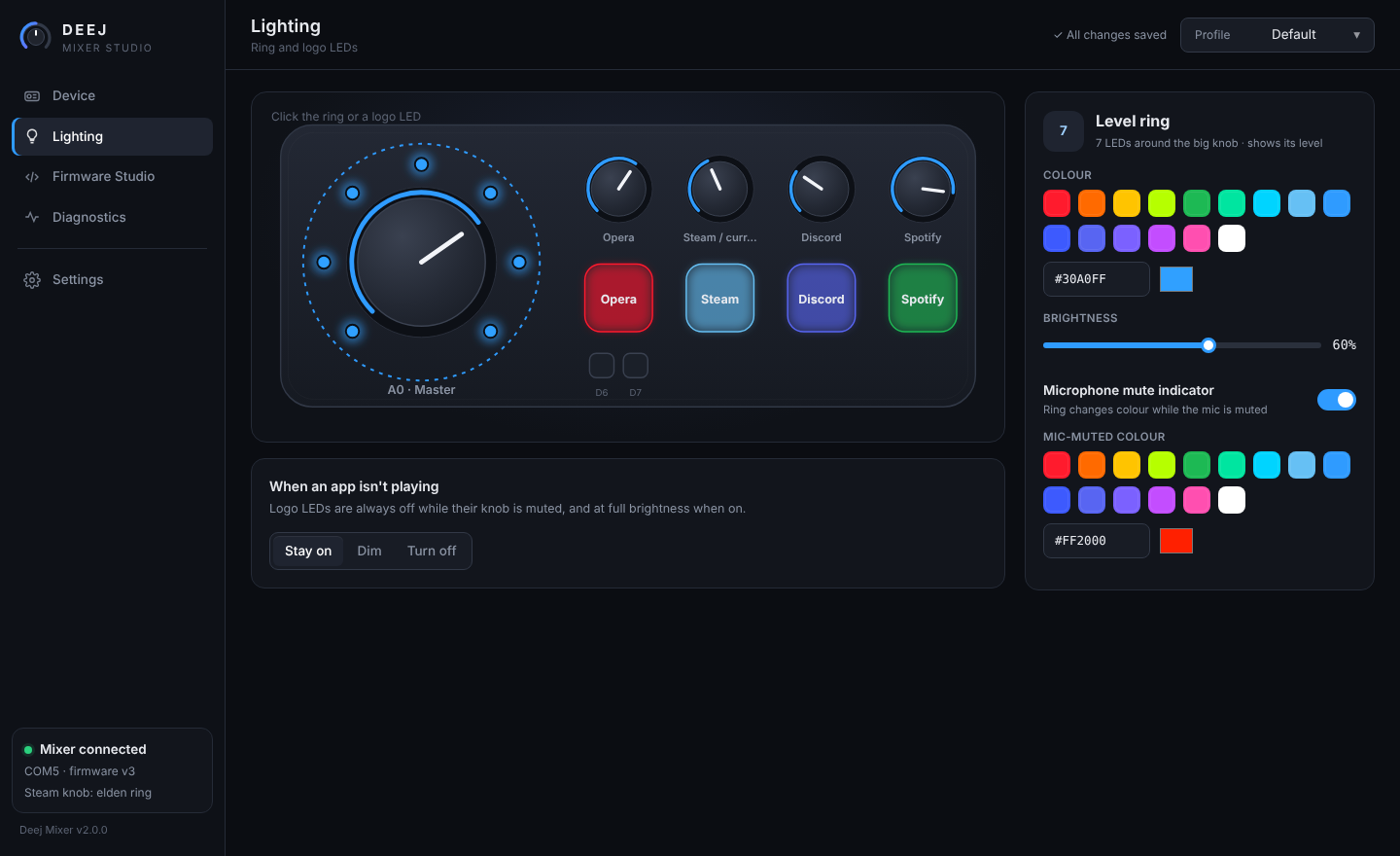
Lighting configuration

Lighting you control

Pick a colour for the ring and each logo, or pick which knob each logo follows. Logo LEDs always run at full brightness, and the ring brightness stays within USB power limits.

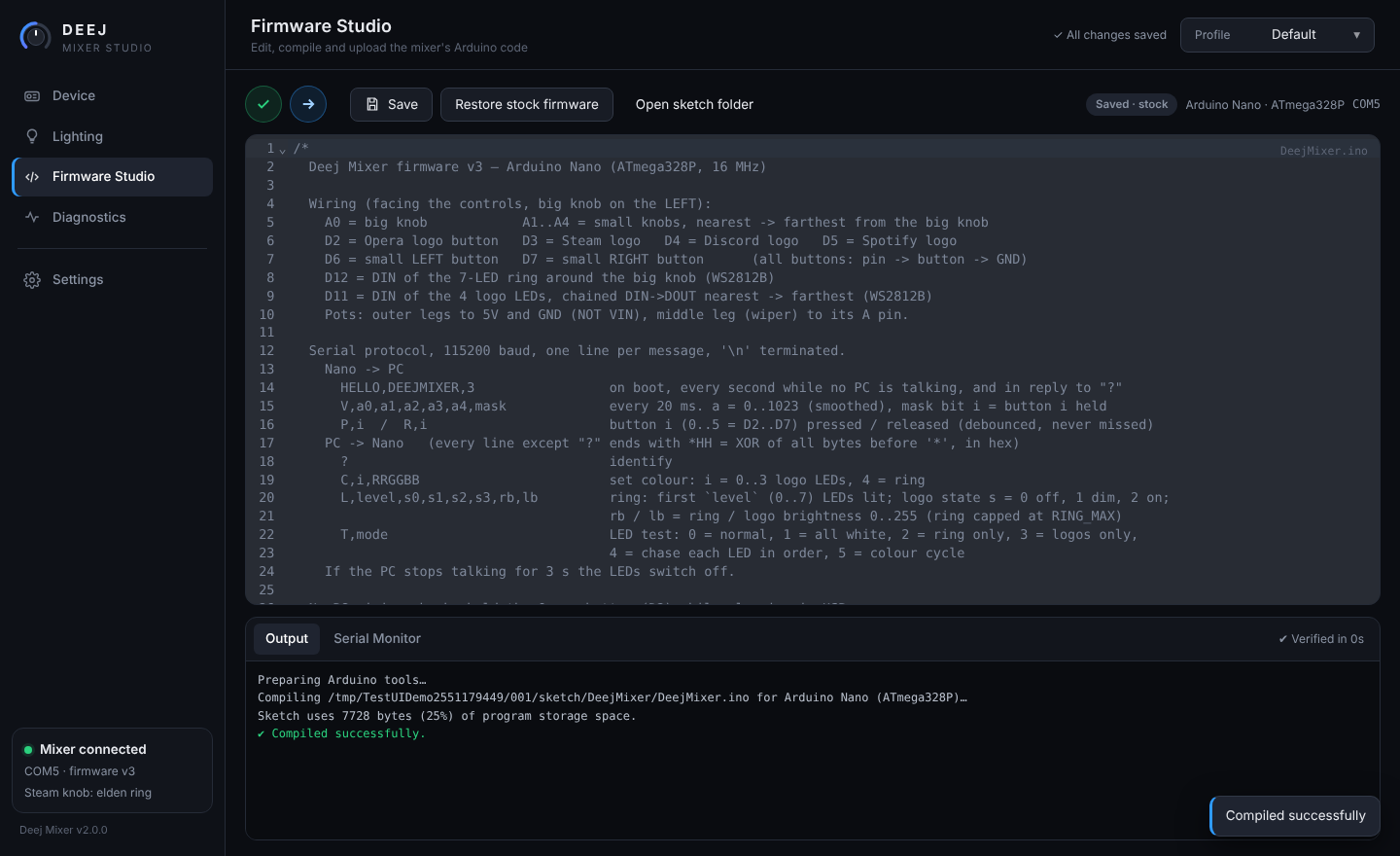
Firmware Studio

An Arduino-IDE-style editor built into the app. Change the mixer's code and upload it without leaving the app.

  • Syntax-highlighted C++ editor
  • Verify and Upload, with Ctrl+R / Ctrl+U / Ctrl+S
  • Click a compiler error to jump to that line
  • Serial monitor, plus restore stock firmware
  • Uses your Arduino IDE tools, or downloads them on first use
Firmware Studio

Build the hardware

Designed around the deej enclosure on Printables. Facing the mixer, the big knob is on the left.

Nano pinConnects to
A0Big knob wiper
A1 → A4Small knob wipers, from nearest to farthest
D2 – D5Logo buttons: Opera, Steam, Discord, Spotify
D6 / D7Small left / right buttons
D127-LED ring DIN (WS2812B)
D114 logo LEDs, chained DIN → DOUT
5V / GNDPots, LED power and button ground
PartQty
Arduino Nano (ATmega328P)1
10 kΩ linear potentiometer5
Tactile push button6
WS2812B LED11
330–470 Ω resistor (LED data)2
100–470 µF capacitor (LED power)1
Wire buttons between their pin and GND using diagonal legs of 4-leg switches. Wire pots to 5V, not VIN. Hold the Opera button while plugging in to run a wiring check with no PC.

Install in a minute

One installer sets up the app, a Start-menu entry and the CH340 USB driver in Windows' own driver store.

Run the installer

Download DeejMixer-Setup.exe from Releases. Double-click, click Yes, done: no wizard, and the app opens by itself.

Plug in the mixer

Windows loads the driver automatically, and the app finds the mixer and turns green.

Make it yours

Click a knob or button to configure it, or open Diagnostics to test every part.